The best way to follow a Minecraft build
Videos, screenshots, schematic mods or a step-by-step guide? Here is how X-Builds compares with each, row by row, including the places where something else is the better pick.
- Builds with full guides
- 93
- Steps, each with a picture
- 16,561
- Blocks already counted
- 276,426
- Mods to install
- 0
Side by side
13 things that matter when you are halfway up a wall. Tap a row's name to read what it means; on a phone, pick what to compare X-Builds with.
 X-Builds X-Builds | YouTube tutorials | Screenshots & blueprints | Litematica & schematic mods | |
|---|---|---|---|---|
| Following the build | ||||
| Step-by-step order | Yes: Numbered steps, ground up, details last | Partly: If the creator shows every layer | Partly: Only if someone drew each layer | Partly: Layer by layer; you choose the order |
| See where every block goes | Yes: New blocks outlined on a picture of each step | Partly: Pause and squint at the frame | Partly: Only what the camera angle shows | Yes: A hologram right in your world |
| Go at your own pace | Yes: One step per tap, swipe back any time | Partly: Pause, rewind, scrub, repeat | Yes: Look as long as you like | Yes: Build whenever you are ready |
| Keep your place | Yes: Saved after every step | Partly: Remember the timestamp yourself | No: Work out where you stopped | Yes: The hologram shows what is left |
| Materials | ||||
| Exact block list | Yes: Every block counted from the build | Partly: Sometimes in the description, often not | No: Count them from the pictures | Yes: Material list from the schematic |
| Blocks for each step | Yes: Every step lists its own blocks | No: Not broken down | No: Not broken down | Partly: Per layer range, with some setup |
| Know the size before you start | Yes: Size, difficulty, blocks and time | Partly: Video length is a rough hint | No: Guess from the picture | Partly: Size from the file, little else |
| Where it works | ||||
| No mods or installs in the game | Yes: Runs beside the game, not in it | Yes: Nothing to install | Yes: Nothing to install | No: Needs Fabric, the mod and its library |
| Java and Bedrock | Partly: Made on Java 1.21; most blocks exist on Bedrock | Partly: Depends on the video | Partly: Depends on the build | No: Java on PC only |
| Works offline | Partly: Steps, blocks and progress in the app; pictures need a connection | Partly: Only with downloads | Yes: If you saved them | Yes: The schematic is a file on your PC |
| Finding a build | ||||
| Organised, searchable library | Yes: Categories, styles and smart search | Partly: Search results of mixed quality | No: Scattered across sites | No: Find and download files yourself |
| Look around the finished build | Yes: 3D preview in the browser | Partly: A showcase at the start | No: A few fixed angles | Yes: Once it is loaded in your world |
| Learn why it is built that way | Partly: Shows how, not why | Yes: Creators explain as they go | No: No explanation | No: No explanation |
Last checked 11 October 2026. We compare ways of building, not other apps: each column describes the usual experience, and a great video or a carefully made blueprint can do better than its column says. Something out of date? Tell us.
One build, counted for you
The Modern Luxury Villa: 7,082 blocks
From a video you would count all 7,082 of them yourself, 40 different kinds, pausing every few seconds and hoping nothing is hidden behind a wall. In X-Builds the list is already there, calculated from the build itself, before you place the first block.
See the full block list Polished Diorite×1,060
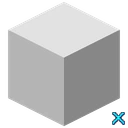 White Concrete×1,057
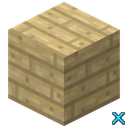 Birch Planks×732
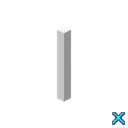 Glass Pane×652
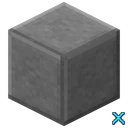 Smooth Stone×606
 Block of Quartz×443
Step 226 of 451: only what is new
No scrubbing back to see how the last wall went up. Each step is a picture of the build so far with this step’s 15 blocks outlined in green, and the 3 kinds of block it needs listed underneath. Your place is saved after every step.
Open this step
Which one should you use?
Each way has a job it is best at. Pick by what you are trying to do, not by habit.
- X-Builds
Best for Building a specific design in survival or creative, one step at a time, with the exact blocks counted for you. On your phone next to the game or in any browser.
Watch out for Made on Java 1.21, so Bedrock players may swap the odd block. It is a catalogue of our builds, not a tool for your own designs.
YouTube tutorials
Best for Learning techniques and style, and watching a creator think through a design. Great for inspiration.
Watch out for Counting blocks by pausing, scrubbing back to find a step, and builds that move faster than you can follow.
Screenshots & blueprints
Best for Quick inspiration and small, simple builds you can copy at a glance.
Watch out for Blocks hidden behind walls, no counts, and no way to tell which layer comes first.
Litematica & schematic mods
Best for Java players on PC copying a schematic exactly, especially huge projects where a hologram in the world pays off.
Watch out for Installing Fabric and keeping mods updated, no Bedrock or consoles, finding schematics you can trust, and servers that limit what the mod may do.
Better together. Watch a video to learn a technique, then build a finished design step by step in X-Builds, with the blocks counted and your place saved.
What each row means
Following the build
- Step-by-step order
- A big build is easy to get lost in. X-Builds splits every build from the ground up into numbered steps, splits big layers into rows, and leaves doors, torches and other details for last, so there is always one obvious next thing to place.
- See where every block goes
- Each X-Builds step has a rendered picture: what is already placed, with the new blocks outlined in green. Steps hidden inside walls are opened up, and on big builds the picture zooms in on the step with a small overview of the whole build. A schematic mod goes one better here: its hologram sits in your own world.
- Go at your own pace
- One step per tap, as slow or as fast as you like: no scrubbing back to find the moment a wall went up, no creator building faster than you can follow.
- Keep your place
- X-Builds saves your progress after every step, in the app and in this browser, so you can close it mid-build and come back next week to exactly where you stopped.
Materials
- Exact block list
- The block list is calculated from the build itself, so it matches what you will place, down to the last slab. In survival that is the difference between one trip to the mine and five.
- Blocks for each step
- Every step lists just the blocks it needs, so you can fill your hotbar for the next few minutes instead of carrying the whole build around.
- Know the size before you start
- Every X-Builds build shows its footprint, difficulty, block count and roughly how long it takes, so you know what you are signing up for before you dig the foundation.
Where it works
- No mods or installs in the game
- X-Builds runs next to the game, on your phone or in a browser, and never touches it. Nothing to install, nothing to update when Minecraft does, and it is fine on any server or Realm.
- Java and Bedrock
- Every X-Builds guide is designed and checked on Java Edition 1.21 and says so. Most builds use everyday blocks that Bedrock and Pocket Edition have too, so they work there as well; now and then a block may need swapping. Schematic mods are Java only.
- Works offline
- Builds you have opened in the app stay on your phone: every step, the blocks it needs and your progress keep working without a connection, so a bad signal never loses your place. Step pictures load when you are online, and the website needs a connection.
Finding a build
- Organised, searchable library
- Every X-Builds build sits in one catalogue by category and style, with a smart search that understands plain words like "small medieval stone house" and shows why each build matches.
- Look around the finished build
- Spin and zoom the finished build in 3D in your browser before you gather a single block, or step through it to see how it goes together.
- Learn why it is built that way
- This is where videos win. A good creator explains depth, colour and shape as they go. X-Builds shows you how to build each design, not the thinking behind it, so watch videos to grow your own style.
Questions
What is the easiest way to follow a Minecraft build?
A guide that gives you one small step at a time, a picture of exactly where the new blocks go, and the blocks already counted. That is what X-Builds does: free builds open in any browser with no account, and the Android app adds offline guides and saved progress. If you play Java on PC and do not mind installing mods, a schematic mod like Litematica is the other easy option.
Is X-Builds better than YouTube tutorials?
For building a specific design, usually yes: you never pause to count blocks or scrub back to find a step, and your place is saved. For learning technique and style, videos are better, because a good creator explains why they build the way they do. Many builders use both: a video for ideas, X-Builds to actually build.
Do I need Litematica, Schematica or any other mod to use X-Builds?
No. X-Builds runs beside the game, on your phone or in a browser, and never touches Minecraft. Nothing to install, nothing to update when the game does, and it works on any server or Realm.
Is Schematica still updated?
Schematica's last releases were for old versions of Java Edition (1.12 and earlier). Players on modern versions use Litematica, which needs the Fabric mod loader and only runs on Java Edition on PC.
Does X-Builds work on Bedrock and Pocket Edition?
Every guide is designed and checked on Java Edition 1.21 and shows the edition it was made for. Most builds use everyday blocks that Bedrock and Pocket Edition have too, so you can follow them there; now and then a block may need swapping for a close match.
Can I use X-Builds in survival?
Yes, that is what the block lists are for. Gather the whole list before you start, or just the blocks for the next few steps, and tick materials off as you collect them.
Is X-Builds free?
Free builds are free, with the full block list and every step: on this website with no account, and in the app. X-Builds Pro is optional and unlocks every premium build and Cinematic Studio scene, with no ads in the app, from $24.99 a year with a 7-day free trial, or $39.99 once.
Is X-Builds an official Minecraft product?
No. X-Builds is a fan-made building guide by X-Studio. It is not affiliated with or endorsed by Mojang or Microsoft, and every build in it is our own original design.